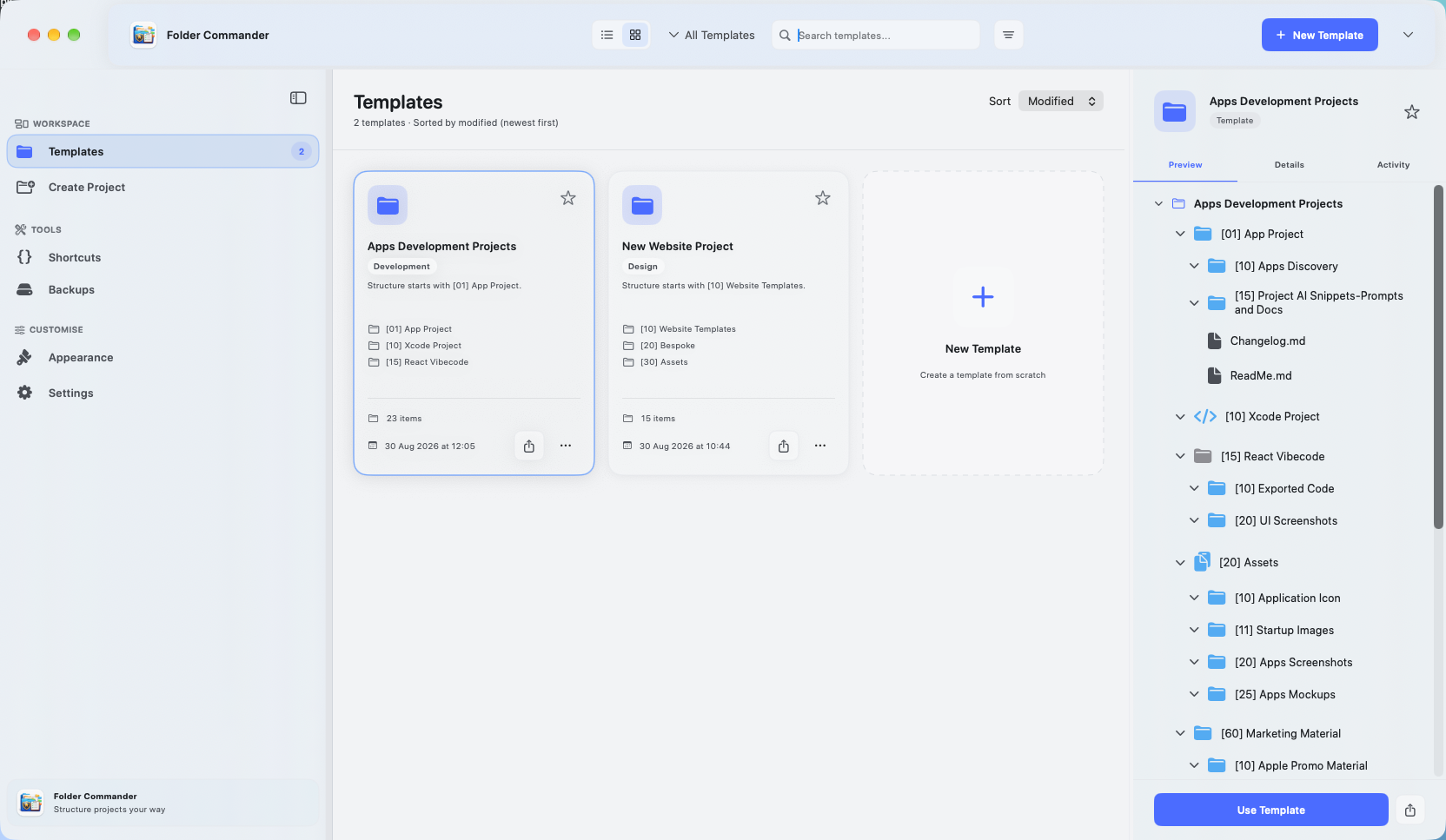
A familiar start for every project.
Turn the folders you create again and again into a reusable starting point.
Read article
THE OPEXPER SUPPORT HUB
Answers, inspiration and a direct line to us.
For every app. Every next step.
Start with an app, a feature or a question.
01 / FIND YOUR ANSWER
Choose a category. Find your answer. Get back to what you love.
All apps
Choose your app above to find relevant answers and guides. If you still need help, use the contact form below. Include the app version, your device and what happened so we can understand the issue.
All apps
Tell us what you were trying to do, the steps that led to the problem, what you expected and what happened instead. Add your app version and iOS, iPadOS or macOS version. Please leave out passwords, authentication codes, payment details and sensitive personal information.
All apps
Absolutely. Choose “Share an idea” or “Give feedback” in the contact form. Tell us what you want to achieve and how the change would help. Suggestions inform our planning, but submitting an idea does not promise a feature or release date.
All apps
Each app has its own Privacy Policy linked from its product page. Choose your app above to open its privacy information. The website’s privacy policy covers your use of this Support Hub.
All apps
Check the app’s App Store listing for its current version history. Our articles will also carry release news as it is published. The OPEXPER roadmap shows what we are exploring and working on; planned features can change.
Nolio Invoice
Nolio Invoice brings invoices, quotes, customer records and a reusable catalogue together on your Mac. You can also keep track of payments.
Nolio Invoice
Yes. Nolio Invoice supports turning accepted quotes into invoices. If you need help with a particular quote, contact us with the app version and a description of what happens, without including customer or payment details.
Folder Commander
A template is a reusable folder structure. Set up the folders you regularly need, then use that structure when starting a new project instead of creating every folder again.
Folder Commander
Folder Commander supports folder colours and icons to make folders easier to recognise. Tell us your macOS and app versions if a particular customisation is not behaving as expected.
App Asset Studio
App Asset Studio turns a source image into organised Apple app assets, including an asset catalogue with sizes and metadata for your Xcode project.
App Asset Studio
Review the source image and the exported assets at their intended sizes, then check the catalogue in your Xcode project. If an export looks wrong, include the target platform, source image dimensions and app version in your support message.
JabTracker
JabTracker helps you keep a record of injections and follow weight progress, including your starting point, current weight and goal. For questions about a specific version, include its version number in your message.
JabTracker
This Support Hub handles questions about the app. It cannot provide medical advice. Contact your qualified healthcare professional about medication, doses, side effects or treatment decisions. Please do not send health records through this form.
KitFlow
KitFlow helps you create time-based lighting schedules and routines for your HomeKit home, including brightness changes and routines across multiple lights.
KitFlow
Describe the affected lights, the schedule or routine, and whether the same lights respond in Apple’s Home app. Include your device, operating system and KitFlow version. Do not include home access codes.
SnagMyHome
SnagMyHome lets you record issues around your home and organise them by room, so each snag stays in context.
SnagMyHome
Yes. SnagMyHome supports following issues from reported through to fixed and verified. When asking for help, describe the stage involved and leave your address and other private property details out of the message.
StudyDash Go
Create flashcards and organise them by subject and topic. Smaller, focused groups can make it easier to choose what to work on in a short study session.
StudyDash Go
Choose one topic and a manageable group of flashcards. Try to recall each answer before checking it, then revisit the cards you find difficult. Adjust your session length to the time you have.
TabsUp
Yes. TabsUp supports both even and custom splits, so you can divide a shared bill in the way that fits your group.
TabsUp
Yes. TabsUp lets you include tips and see how the bill breaks down. Check the bill amount, tip and chosen split before sharing the amounts with your group.
TrueAuth
TrueAuth supports QR setup for compatible two-factor authentication accounts. Use the setup offered by the service you want to protect. Never send a setup QR code, secret key or one-time code to support.
TrueAuth
We can help with TrueAuth itself, but we cannot unlock accounts held with other services. Use the relevant service’s recovery process and any recovery codes you have saved. Do not delete authentication entries while investigating an access problem.
Nextpoint
Yes. Nextpoint is available on the App Store for iPhone and iPad. Visit its product page for the App Store download link.
Nextpoint
Nextpoint is a teleprompter for iPhone and iPad. You can write or import plain-text scripts, return to an on-device script library, adjust reading speed and text size, and choose Ivory, Midnight or Dark with an optional reading guide.

GOOD APPS KEEP GETTING BETTER.
A small suggestion. A fresh perspective.
Your experience helps shape what comes next.
02 / A LITTLE KNOW-HOW
Fresh perspectives, useful guides and the latest from our apps.
Turn the folders you create again and again into a reusable starting point.
Read articleFive things to include when an app does something unexpected.
Read article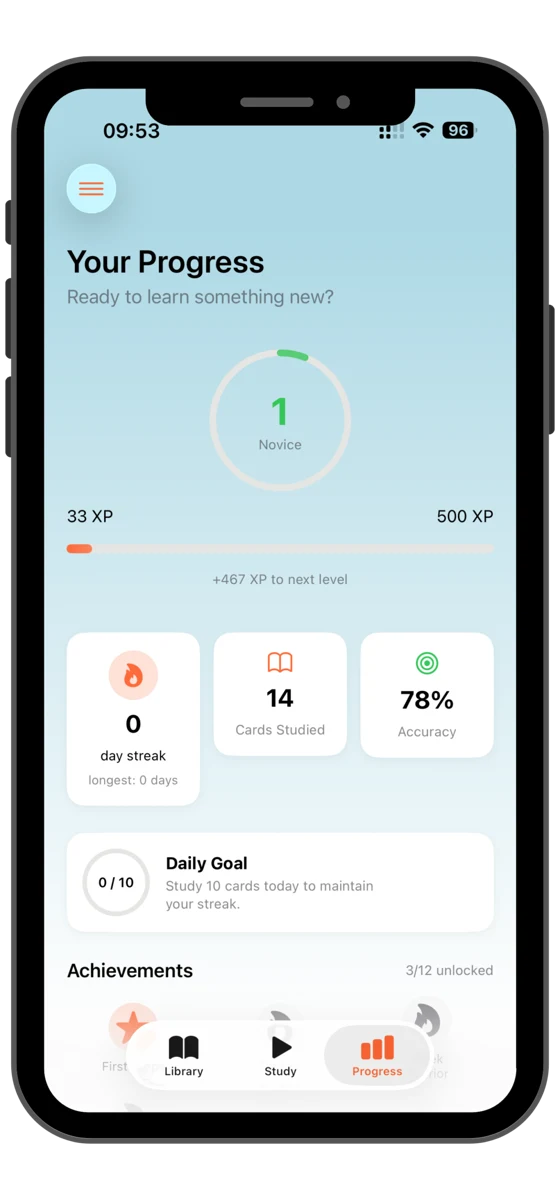
Give your flashcards a clear focus, one subject and one session at a time.
Read article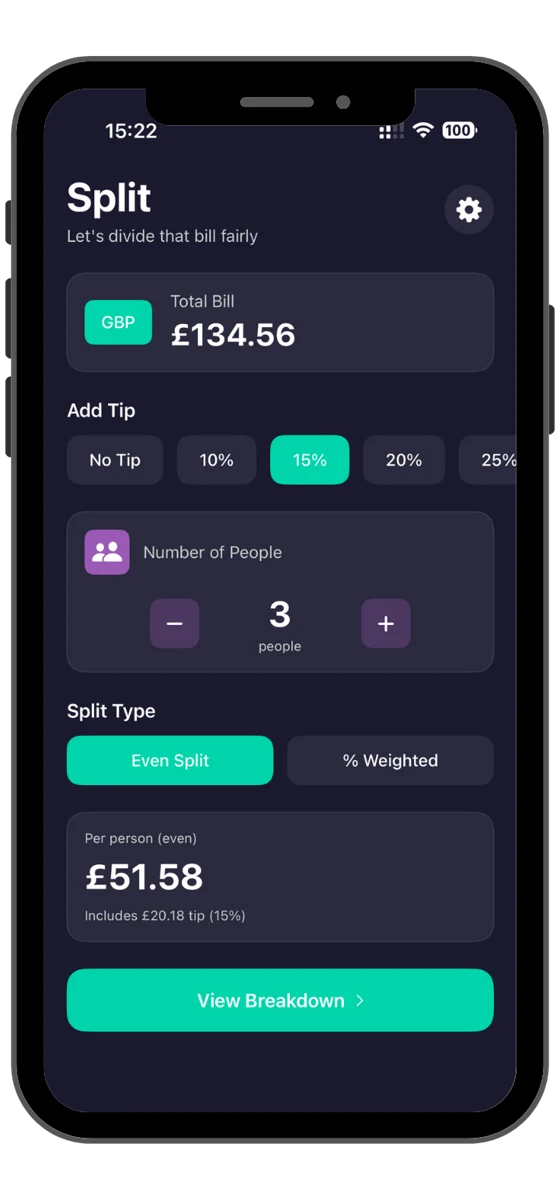
A quick checklist for shared bills, custom splits and tips in TabsUp.
Read articleMeet the script, pace and reading tools in Nextpoint: Teleprompter.
Read article03 / A DIRECT LINE TO US
Something not quite right? Something you’d love to see? Tell us about it.
Your message goes to the OPEXPER team. No account needed.
Please leave out passwords, authentication codes, payment details and health information. For medication or treatment questions, contact your healthcare professional.
Thoughtful apps. Thoughtful support.
Explore all our apps ↗